The internet has become an essential part of everyday life. People use online services for communication, banking, shopping, education, entertainment, work, and managing personal accounts. While these services offer convenience, they also create opportunities for criminals to steal information, compromise accounts, or trick people into revealing sensitive details.
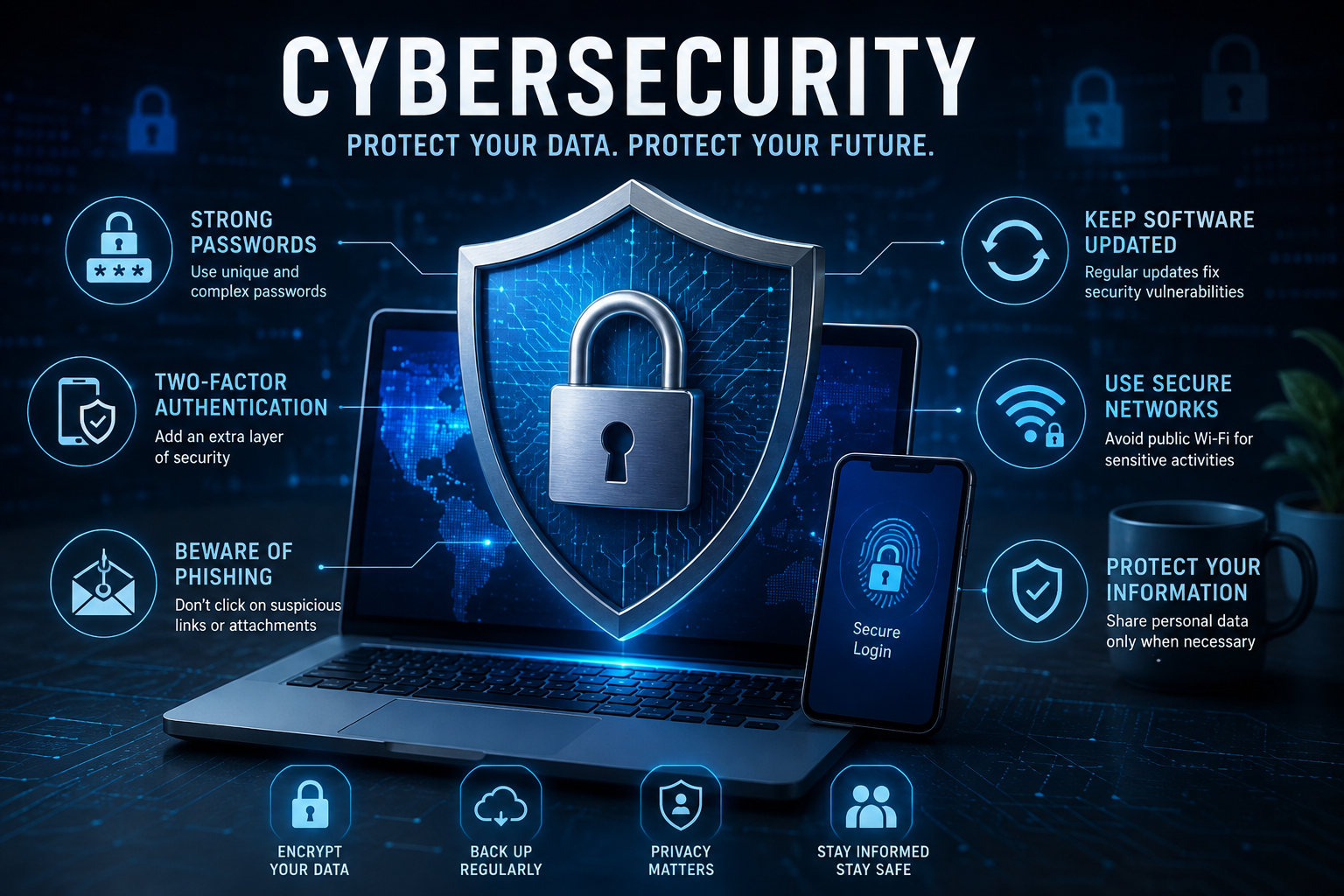
Good cybersecurity does not require everyone to become a technical expert. A few consistent habits can significantly improve everyday online safety. Strong passwords, account protection, software updates, careful browsing, secure networks, and regular backups can all contribute to a safer digital routine.
Use Strong and Unique Passwords
Passwords remain one of the most important defenses protecting online accounts. Using the same password across multiple websites can create a serious problem because a compromised password may allow criminals to attempt access to several accounts.
Each important account should have a unique password or passphrase. Longer passwords are generally easier to make strong, especially when they are difficult for other people to guess.
Turn On Multi-Factor Authentication
Multi-factor authentication, often called MFA or two-factor authentication, adds another layer of protection beyond a password. Depending on the service, this may involve an authentication app, security key, or another verification method.
Even if someone discovers a password, an additional authentication step can make unauthorized access more difficult.
Users should enable multi-factor authentication on important accounts whenever the service provides a suitable option.
Recognize Phishing Attempts
Phishing is one of the most common ways criminals attempt to obtain passwords, financial information, or other sensitive data. Messages may appear to come from banks, delivery companies, employers, government organizations, social networks, or familiar contacts.
Suspicious messages may create urgency by claiming that an account will be closed, a payment failed, or immediate action is required.
Keep Devices and Applications Updated
Computers, smartphones, tablets, browsers, and applications can contain security weaknesses that are discovered after software is released. Developers regularly provide updates that may include security fixes.
Delaying important updates for long periods can leave devices exposed to known vulnerabilities.
Automatic updates can be useful for many everyday applications, although users should still pay attention to major system notifications and restart requirements.
Protect Your Email Account
Email accounts deserve special attention because they are often connected to other online services. If an attacker gains access to an email account, they may attempt password resets for other accounts.
Use a unique password, enable multi-factor authentication, and review recovery options regularly.
Check account activity when the service provides security notifications or login history, particularly after receiving an unexpected alert.
Be Careful With Public Wi-Fi
Public wireless networks can be convenient in airports, hotels, cafes, libraries, and other locations. However, users should avoid assuming that every public network is secure simply because it has a familiar name.
When using public Wi-Fi, avoid unnecessary access to highly sensitive accounts if you are uncertain about the network. Make sure your device uses encrypted connections and keep sharing settings appropriately restricted.
A reputable virtual private network may provide additional protection in certain situations, but it does not make every online activity automatically safe.
Secure Your Home Network
Home routers connect many devices to the internet, making them an important part of personal cybersecurity.
Users should change default administrator credentials when necessary, keep router firmware updated, use strong Wi-Fi security settings, and review connected devices periodically.
A separate guest network can also be useful for visitors or certain smart devices, depending on the capabilities of the router.
Limit the Personal Information You Share
Personal information can have value to scammers and criminals. Names, addresses, phone numbers, birth dates, account details, and other information can sometimes be combined to create convincing fraudulent messages.
People should think carefully before publicly sharing information that could be used to answer security questions or impersonate them.
Review privacy settings on social networks and other platforms regularly because settings and available features can change.
Review App Permissions
Mobile applications often request access to information or device features. Some permissions may be necessary for an application to function, while others may not be essential.
Review which applications have access to location, contacts, camera, microphone, photos, files, and other device features.
Remove permissions that are no longer necessary and uninstall applications that are no longer used.
Download Software From Trusted Sources
Installing applications from unknown websites can expose devices to malicious or unwanted software. Whenever possible, users should obtain software from official developer websites or established application stores.
Be cautious with programs advertised through unexpected pop-ups, suspicious emails, or websites claiming that a device has an urgent security problem.
Use Security Software Wisely
Modern operating systems often include built-in security protections. Keeping these features enabled and updated can provide an important baseline of defense.
Additional security software may be useful depending on the device and user’s needs, but people should avoid installing multiple overlapping security products without understanding how they interact.
Back Up Important Files
Cybersecurity is not only about preventing unauthorized access. It is also about being prepared when something goes wrong.
Important photographs, documents, work files, and other valuable information should be backed up using a suitable method. Depending on the situation, this may include an external storage device, a reputable cloud service, or another backup system.
Backups are particularly useful in situations involving device failure, accidental deletion, or certain types of malware.
- Identify files that would be difficult to replace.
- Keep more than one copy when appropriate.
- Use reputable storage services or devices.
- Check periodically that backups can actually be restored.
Secure Online Shopping and Payments
Online shopping has become routine, but users should still check websites carefully before entering payment information.
Type important website addresses directly or use trusted bookmarks when possible. Be cautious about advertisements or messages that redirect to unfamiliar payment pages.
Regularly reviewing bank and payment account activity can also help identify unauthorized transactions quickly.
Be Cautious With QR Codes and Short Links
QR codes and shortened links can make it difficult to see the full destination before opening a webpage. Criminals can use them to direct users toward fraudulent websites or malicious content.
Before scanning an unexpected QR code or opening an unfamiliar shortened link, consider where it came from and whether the request makes sense.
Protect Your Physical Devices
Digital security also includes protecting the physical devices that contain personal information.
Use a screen lock, PIN, password, or biometric protection where available. Avoid leaving unlocked devices unattended in public places.
When disposing of an old computer or smartphone, make sure personal information is properly removed using the device manufacturer’s recommended reset or data-erasure process.
Check Account Security Regularly
Online safety should be treated as an ongoing habit rather than something that is completed once.
Every few months, review important accounts for unfamiliar login activity, outdated recovery information, unused connected applications, and unnecessary permissions.
Remove access for services that are no longer used and update credentials when there is a legitimate reason to do so.
Teach Family Members Basic Safety Habits
A household can be more secure when everyone understands basic online risks. Children, older adults, and people who are less familiar with technology may need additional guidance when dealing with suspicious messages or unfamiliar websites.
Simple rules such as not sharing passwords, verifying unexpected requests, and asking for help when something seems suspicious can prevent many avoidable problems.
Know What to Do After a Security Incident
If an account may have been compromised, acting quickly can limit potential damage. Depending on the situation, users may need to change the affected password, secure the email account connected to it, revoke suspicious sessions, enable multi-factor authentication, and contact the relevant service.
If financial information may have been exposed, contacting the appropriate bank or payment provider promptly can also be important.
The exact response depends on what happened, so users should follow the official security guidance provided by the affected service.
Frequently Asked Questions
Using unique passwords and enabling multi-factor authentication on important accounts are two practical steps that can significantly strengthen account security.
No. Security software can provide useful protection, but it cannot replace careful browsing, software updates, strong authentication, and good judgment when handling unexpected messages.
Not necessarily, but users should not automatically assume that an unfamiliar public network is trustworthy. Using encrypted connections and avoiding unnecessary sensitive activity can reduce risk.
A periodic review every few months is a useful habit. Users should also review security settings after changing devices, receiving suspicious alerts, or learning about a possible account compromise.
Final Thoughts
Everyday cybersecurity does not have to be complicated. Strong and unique passwords, multi-factor authentication, software updates, careful handling of messages, secure networks, privacy awareness, and reliable backups can provide a solid foundation for protecting personal information.
Technology and online threats continue to change, so good security requires ongoing attention. People should regularly review their accounts, remove unnecessary access, update devices, and learn to recognize new types of suspicious activity.
Most importantly, online safety is about developing consistent habits. Taking a few extra seconds to verify a message, check a website, or protect an account can prevent problems that may otherwise become costly and difficult to resolve.